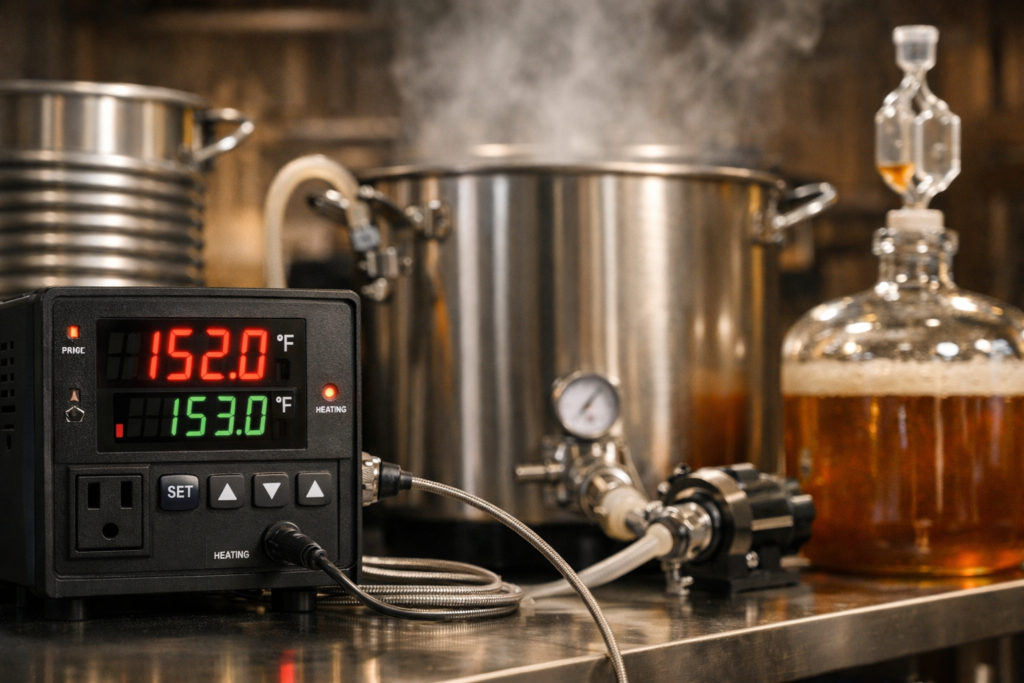
The annoying part about fermentation control is that you can buy a perfectly decent controller and still get lousy control.
I have seen this happen in the most ordinary setup imaginable: a used mini fridge, a heat wrap, an ale fermenting a few degrees warmer than the chamber air, and a probe hanging loose because taping it down felt like a chore. The controller was not the problem. The setup was.
If you’re searching for the best temp controller for brewing, the plain answer is this: for most homebrewers, a dual-stage plug-and-play controller is the right buy. It gives you separate heating and cooling control, it usually includes compressor delay protection, and it asks far less from you than a wired DIY controller. But that answer is still incomplete. A brewer running a heat-only closet, a fridge chamber for lagers, and a profile-heavy setup for step changes are not shopping for the same thing.
That is the tension in this whole topic. A lot of articles treat temperature controllers like they are interchangeable little boxes. They are not. You are really choosing a control style for your chamber, your yeast, and the sort of brewing you actually do.
- How to pick the right controller by setup, not by hype
- When dual-stage is worth it and when single-stage is fine
- Which features change results and which ones mostly pad the spec sheet
- Why probe placement can make a good controller behave badly
- Which proven controllers fit beginner, upgrade, and heavy-duty use
Best Suggestions Table (All products have been personally reviewed & tested by us! Click the buttons below to jump to the reviews.)
| Product | Best for | Action |
|---|---|---|
| INKBIRD ITC-308 | Most homebrewers |
Check Price Review |
| INKBIRD ITC-308 WiFi | Remote checks and alerts |
Check Price Review |
| Johnson Controls A419 | One job done well |
Check Price Review |
| Ranco ETC | Rugged wired-style control |
Check Price Review |
Tip: Clicking the “Review” button will move you to the review so you can decide fast.
Still in doubt? Here’s a fast guideline to save you some time.
- Fridge or freezer plus heater: buy a dual-stage controller.
- Only cooling or only heating: a single-stage controller can work.
- You want app alerts: buy the WiFi version, not a separate gadget pile.
- You like wiring projects: a DIY controller can save money, but only if you actually want the project.
- You ferment lagers, cold crash often, or brew through hot and cold seasons: pay close attention to compressor delay and probe placement.
The best temp controller for brewing, for most people, is a dual-stage plug-and-play model
A lot of brewers land on the same answer after a few batches: stable fermentation matters more than one more shiny kettle upgrade. The American Homebrewers Association points out why. Yeast can ferment happily at warm temperatures, but “happy” for growth is not the same as “clean” for flavor. Push a clean ale strain too warm and you can end up with a beer that tastes busier, rougher, or just plain off.
That is why the default recommendation lands where it does.
A dual-stage plug-and-play controller is the safest answer for most homebrewers because it covers the common chamber setup without asking you to wire anything. One outlet handles cooling. One handles heating. The controller does the switching. If your room swings with the seasons, that matters right away. If you ever want to run an ale at 66°F in winter and then cold crash the same batch later, it matters even more.
The other reason I like this class of controller is boring, and boring is good here. You can move it from one chamber to another. You can lend it to a friend. You can unplug it after a batch and use it again without wondering what that mystery junction box from two years ago was wired to. That stuff counts.
Quick call: If you have both a cooling source and a heat source, skip single-stage controllers. They are fine for one job. They get annoying fast when the chamber needs to do two.
If you only need one side of the job, the picture changes. A basement brewer who only needs gentle heat does not need a two-outlet controller just because the internet says “best” means “most features.” Same story for a freezer-only chamber in a hot garage. Buy for the setup you have, not the setup you fantasize about building next winter.
Match the controller to your setup first, and the right choice gets obvious fast
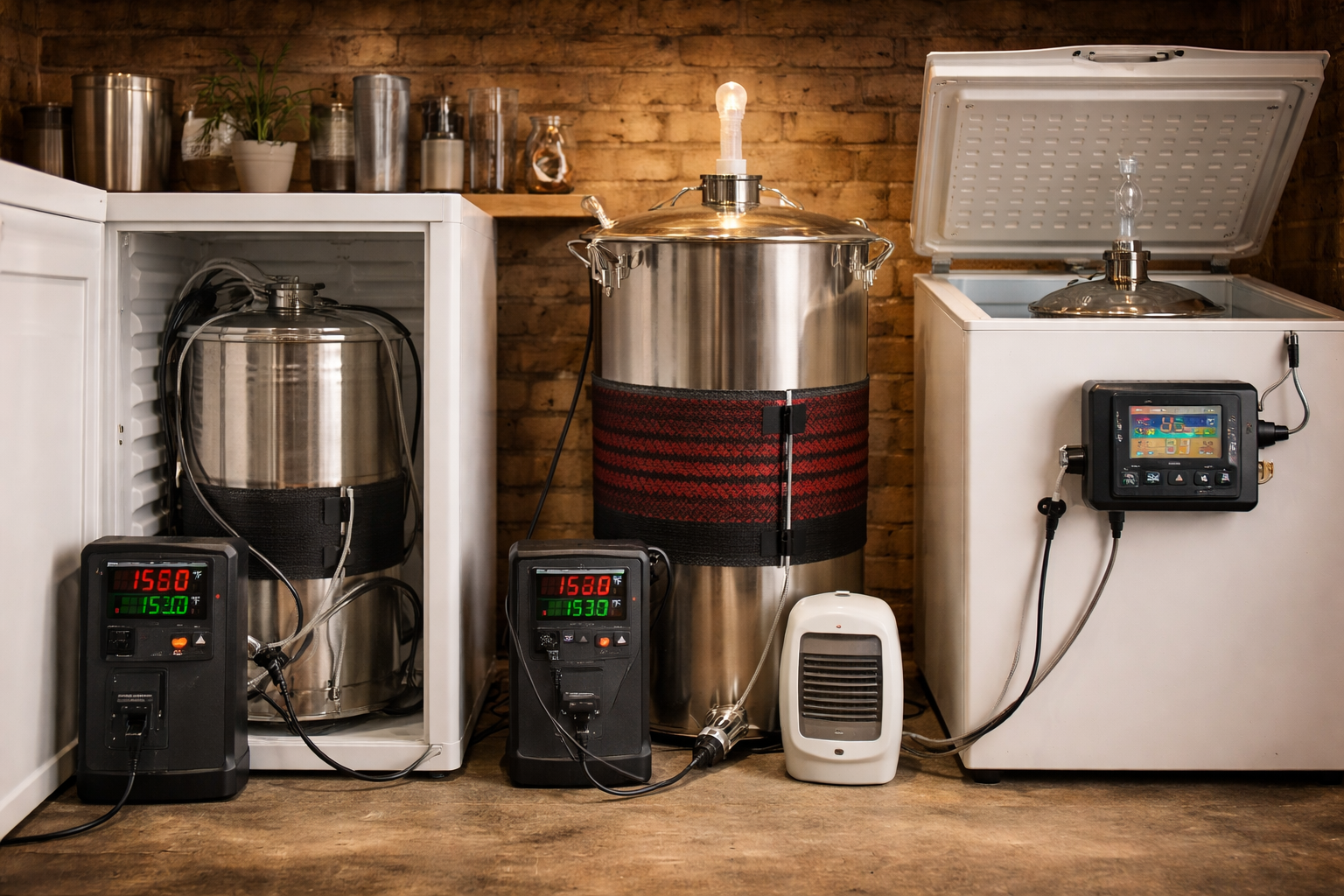
The cleanest way to choose is to stop thinking about the controller as the star of the show. It is just the switch. The chamber, heater, fridge, freezer, and probe location do the real work.
| Setup | What to buy | Why |
|---|---|---|
| Fridge or freezer plus heat wrap, belt, or small heater | Dual-stage plug-and-play | Handles both sides without extra fiddling |
| Only cooling needed | Single-stage or dual-stage | Single-stage is enough if the setup will stay that way |
| Only heating needed | Single-stage or dual-stage | Good for cool basements, closets, or warm-strain ferments |
| Step changes, lager ramps, more hands-on control | Profile-capable controller | Useful when you actually want the controller to run a schedule |
Here is the short rule set I keep coming back to.
- If the chamber will cool and heat, buy dual-stage.
- If the chamber only does one of those jobs, single-stage can be enough.
- If you want automatic ramps for a diacetyl rest, slow drops into cold crash, or more hands-off scheduling, look at profile-based control.
Generic temperature ranges help at the start, but they are not the end of the story. A lot of clean ale strains sit in a range around the mid-60s to low-70s Fahrenheit. Many lager ferments start much lower. Then you get strains that break the usual pattern. Fermentis lists SafAle US-05 at an ideal 18 to 26°C (64.4 to 78.8°F), which is a useful reminder that the yeast packet and manufacturer page outrank random forum lore every time.
That is also why a temperature controller article pairs naturally with yeast choice. A controller holds the target. It does not choose the target for you. If that part still feels fuzzy, this guide to the best yeast for brewing beer is a smart next stop.
Most common wrong turn: buying a single-stage controller because “I only need cooling,” then adding a heat source later and ending up with a clumsy setup that needs manual swapping.
Focus on these 6 features, because most spec sheets hide what actually matters
Spec sheets love noise. Brewing setups need signal. These are the six things that change how a controller behaves in the chamber.
1. Stage type
Single-stage means one job. Heat or cool. Dual-stage means both. This is the first filter because it decides whether the controller fits the chamber at all.
2. Plug-and-play or wiring required
Plug-and-play wins for most people. There is less friction, fewer failure points, and less temptation to turn a fermentation chamber into a Saturday electrical project. Wired controllers have a place. They just make more sense for tinkerers than for brewers who want clean beer next week.
3. Compressor delay
This is one of those features that sounds dull until it saves you grief. INKBIRD lists compressor delay protection on the ITC-308. Johnson’s A419 manual does the same thing under Anti-Short Cycle Delay and lets you set that delay from 0 to 12 minutes. For a fridge or freezer, that is not fluff. It helps stop rapid cycling that is hard on compressor-based cooling.
4. Differential control
Differential is the gap around the setpoint before the controller kicks the device on or off. Too tight and the chamber chatters on and off like a nervous metronome. Too loose and the beer drifts farther than you wanted. Johnson’s A419 manual lets you set the differential from 1 to 30°F or °C. The number itself is not the goal. The goal is stable control without silly cycling.
5. Probe calibration and probe flexibility
If the reading is off, the whole setup is off. Calibration gives you a way to clean up small measurement drift. Probe length and placement matter too. A great controller with a sloppy probe location is still a sloppy system.
6. Remote monitoring or profile control
WiFi is either a real convenience or a toy, and the split comes down to how you brew. If your chamber sits in a garage, a shed, or another room, app alerts are nice. If it sits two steps from your desk, you may never use them after the first week. Same with profile control. Very handy for planned ramps. Totally wasted if you mostly ferment standard ales at one steady target.
| Feature | Why it matters | Who should care most |
|---|---|---|
| Dual-stage control | Runs heating and cooling from one controller | Fridge or freezer chambers with a heat source |
| Compressor delay | Cuts down rapid restart cycles | Anyone using compressor cooling |
| Differential setting | Balances stability against over-cycling | Anyone chasing tighter fermentation control |
| Calibration | Fixes small reading drift | Brewers comparing against another thermometer |
| WiFi / app | Saves trips and gives alerts | Remote chambers and forgetful brewers |
| Profile control | Runs scheduled changes | Lager brewers and schedule-minded tinkerers |
Small but real tip: a plain controller with good delay settings and a sensible differential will usually brew better beer than a fancier controller used lazily.
Here’s how the main controller types compare, without the usual blur
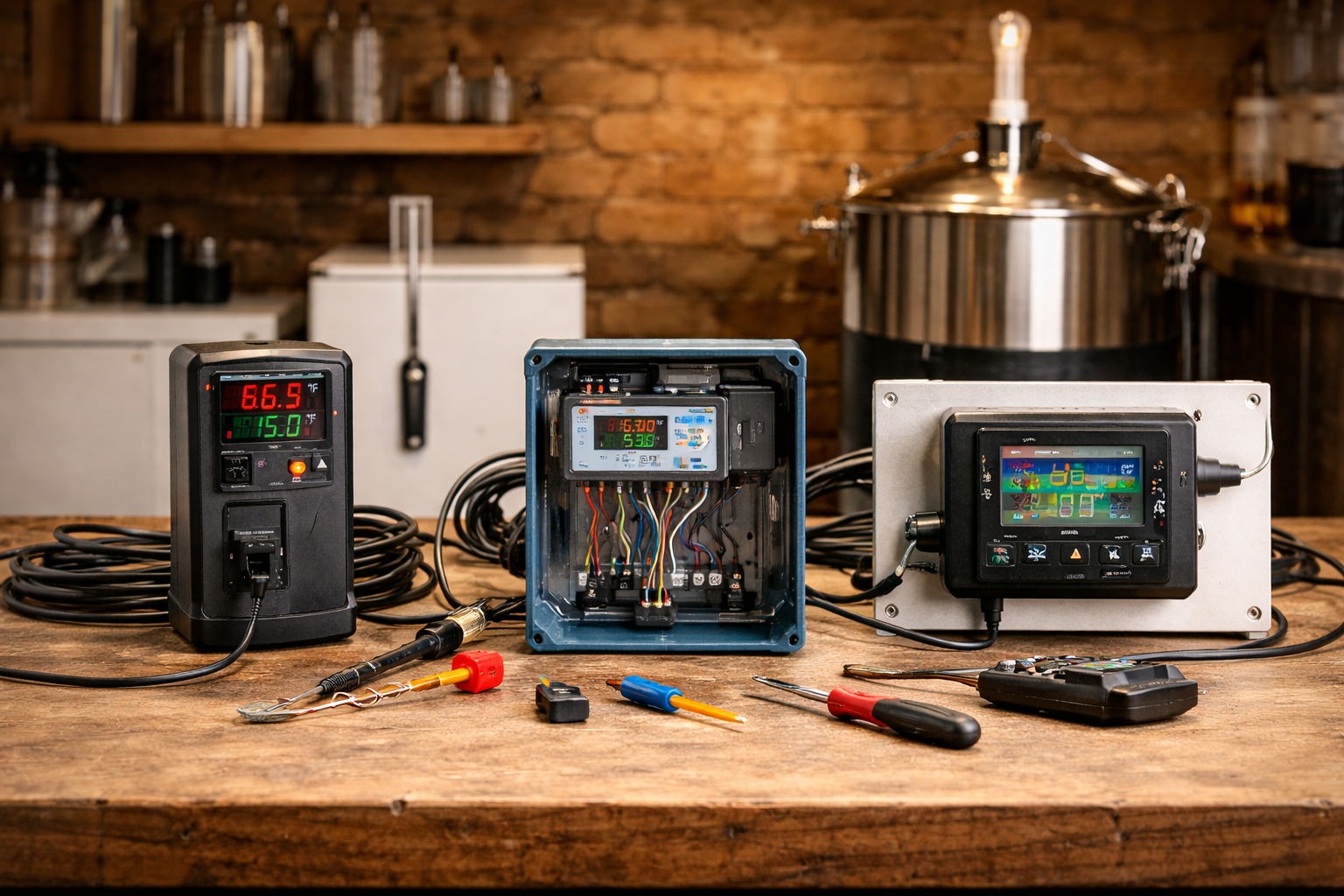
Most brewing temp controllers fall into three buckets. The trouble is that roundups tend to toss them into one pile and pretend the only difference is price.
Plug-and-play digital controllers
This is the easy recommendation for beginners, for most ale brewers, and for anybody who wants a fermentation chamber that behaves without side projects. You plug the fridge into one outlet, the heater into the other, place the probe properly, and get on with brewing. It is the “buy shoes in your actual size” option. Not glamorous. Usually right.
Wired or DIY controllers
This is the STC-1000 lane and, in a more polished form, the wired Ranco or Johnson style lane. They can be cheaper or tougher or easier to integrate into a custom build. They can also become a little trap. People talk about them like they are free performance. They are not. They are a trade: lower buy-in or more custom control in exchange for more setup work, more room for wiring mistakes, and less portability.
If you enjoy building panels, no problem. If you really just want your pale ale to stay where you set it, that extra complexity is easy to romanticize and then quietly regret.
Profile-capable controllers
These make sense if you want the controller to run a schedule, not just hold a setpoint. That matters for brewers who like planned ramps, lager schedules, or a more automated fermentation routine. It matters far less for a brewer who mostly ferments standard ales and checks gravity on time.
If this, check that.
- Best for beginners: plug-and-play dual-stage.
- Best for tight budgets: DIY only if the wiring part sounds fun, not scary.
- Best for lager schedules: profile-capable or a dual-stage controller with disciplined manual changes.
- Best for heavy-duty, one-task control: industrial-style single-stage units like the A419.
The mistake here is simple. People confuse “more control” with “better brewing.” Sometimes that is true. A lot of the time it just means more knobs, more options, and more ways to set the chamber up badly.
Put the probe in the right place, or even a good controller will act stupid
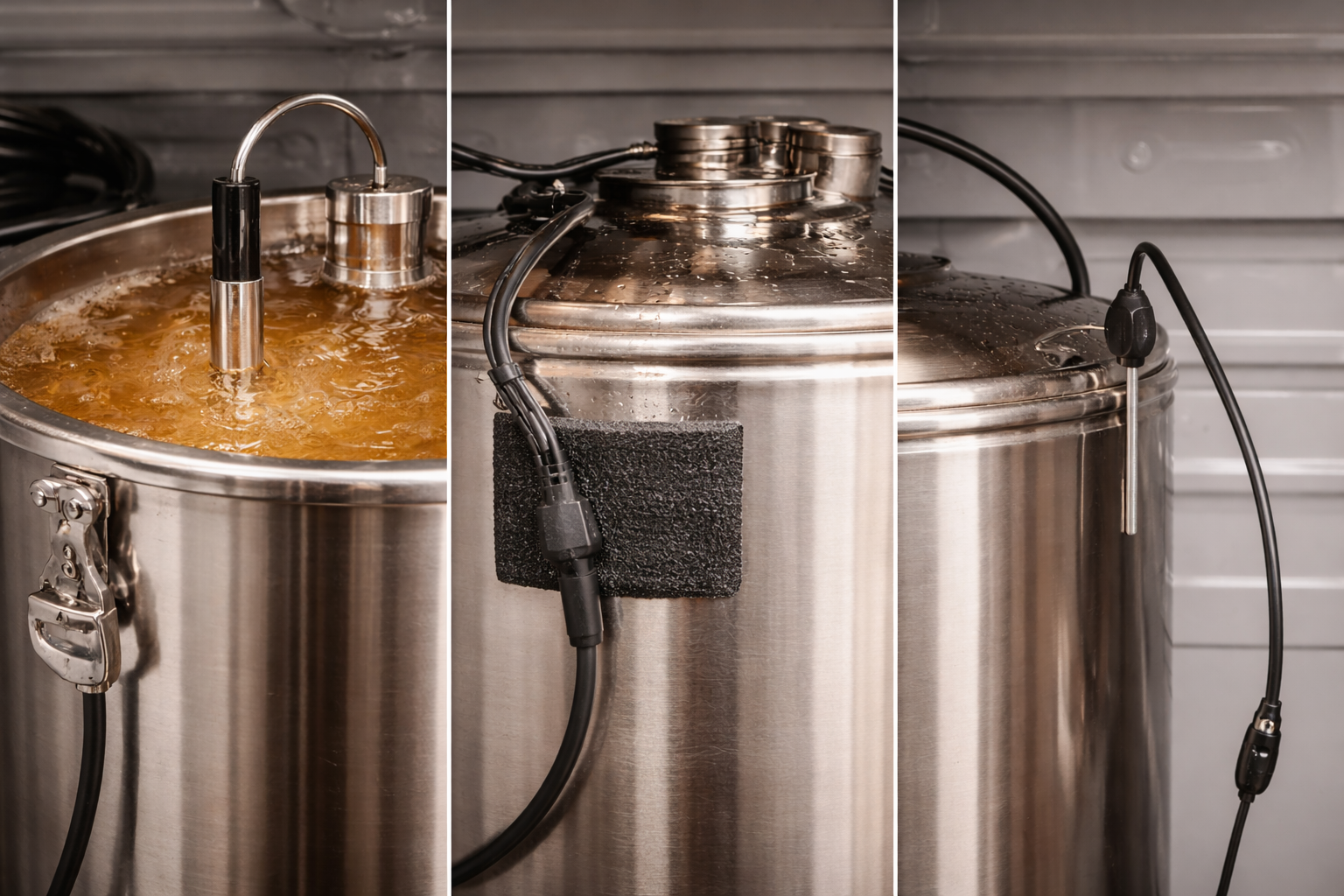
This is the part too many roundup articles wave away in half a sentence. It should not be a footnote. Probe placement changes what the controller thinks is happening, and fermentation itself throws extra heat into the fermenter. So the beer can sit warmer than the chamber air while the controller is busy feeling pleased with itself.
Best: thermowell in the liquid
If you want the closest read on beer temperature, this is the best setup. The controller reacts to the temperature that actually matters most. It is clean. It is consistent. It keeps the controller from chasing short, meaningless air swings every time the chamber cycles.
Very good: probe taped to the fermenter and insulated
This is the practical sweet spot for a lot of homebrewers. Tape the probe at mid-height on the side of the fermenter, then put foam or another bit of insulation over it. That gets you far closer to beer temperature than a loose probe hanging in the air, and it costs almost nothing.
Worst: probe hanging in chamber air
It works in the sense that the controller will still switch things on and off. But it often reacts to the wrong thing. Open the door and the reading jumps. Cooling kicks on and the air falls quickly while the beer barely moves. That is how you end up thinking the controller is twitchy, when the probe is just reporting the wrong battlefield.
Do this if you have no thermowell: tape the probe to the fermenter wall about halfway up and insulate over it. That one fix helps more than fiddling with tiny setpoint changes.
I would put this near the top of any buyer’s guide because it changes the real-world performance of every controller in the list. Fancy box. Bad probe spot. Same headache.
These are the best temp controllers for brewing, based on fit, not hype
Before the individual reviews, a quick note on how I judged them. I did not run a lab-style side-by-side bench test with identical fermenters in identical chambers. That would sound impressive and be nonsense unless the setups were controlled far beyond what most homebrewers use. Instead, I judged each controller against the same brewing jobs that matter in real chambers: hold a setpoint for a normal ale, switch safely between cooling and heating, deal with seasonal room swings, support sane probe placement, and keep setup friction low enough that a brewer will actually use it batch after batch.
That last part matters more than people admit. A controller that stays in a drawer because it is annoying is not better gear.
INKBIRD ITC-308
The ITC-308 is the one I would hand to most homebrewers first. INKBIRD’s own product page lists the stuff that makes it useful in a fermentation chamber: dual relay output for heating and refrigeration, separate heating and cooling settings, compressor delay protection, alarms, and plug-and-play use. That is the whole beginner-to-intermediate case in one box. No wiring. No panel build. No explaining to yourself why this “simple” project now involves crimp connectors and an evening you did not want to spend.
Why it fits so many setups is pretty straightforward. A used fridge and a small heat source is one of the most common homebrew chamber builds. The ITC-308 slots into that with almost no drama. It also stays flexible. You can move it between chambers, swap heaters, or use it for different fermentation styles without rebuilding anything.
The tradeoff is that it is not trying to be a fully programmable fermentation brain. It is a setpoint controller. That is enough for a lot of brewers. More than enough, honestly. For clean ales, basic lager control, and simple cold-crash work, it gets the core jobs done. This is the controller that makes the right sort of sense: easy enough to use well, capable enough to solve the actual problem, and dull in all the ways good control gear should be dull.
Best for: most homebrewers, first fermentation chambers, and anyone who wants dual-stage control without wiring.
Skip it if: you want built-in remote monitoring or profile-based schedules.
INKBIRD ITC-308 WiFi
The WiFi version is the upgrade that makes sense when the chamber is out of sight or your brewing routine has a little chaos baked into it. INKBIRD lists plug-and-play use, compressor delay protection, temperature calibration, alarms, and app access through the INKBIRD app. That last bit is the whole story here. You are not buying different brewing physics. You are buying fewer unnecessary trips to the garage or basement and better odds of catching a problem before you notice it three days late.
I like this one most for brewers with chambers in awkward places or for anyone who cold crashes and wants a cleaner way to keep tabs on the chamber without opening it. That sounds minor until you have a fermenter tucked in a shed in hot weather or buried in a corner of a garage in winter. Then the app stops feeling like gadget fluff and starts feeling sensible.
The catch is that WiFi does not fix sloppy setup. It does not make bad probe placement good. It does not replace decent differential settings. It also costs more than the standard version for a convenience layer, not for better core fermentation logic. So the buying call is simple. If remote checks and alerts will change your actual use, this is the better pick. If not, the standard ITC-308 stays the sharper value.
Best for: remote chambers, brewers who want alerts, and people who know they will actually use app access.
Skip it if: the chamber lives nearby and you do not care about remote visibility.
Johnson Controls A419
The A419 is a different sort of recommendation. Johnson’s manual spells out the part that matters: adjustable differential, heating or cooling mode, temperature offset, and anti-short cycle delay. That makes it a serious one-job controller. It is not the “most people” pick because most homebrewers end up wanting both heating and cooling. But if your chamber really only needs one side of that equation, the A419 is a very respectable way to do it.
What I like about the A419 is the no-nonsense feel. It reads like industrial control gear because that is what it is closer to. The manual even lays out how the differential behaves relative to the setpoint and how the anti-short cycle delay protects the next on-cycle from happening too quickly. That sort of clarity is a green flag. It means the controller is built around predictable control logic, not vague marketing.
The tradeoff is obvious. Single-stage control is limiting in a brewing context unless the chamber is stable or the job is narrow. A freezer in a hot garage? Fine. A cool basement closet that only needs a heater? Fine. A chamber that must both cool and heat across the year? Less fine. This is the controller I would pick for a brewer who knows exactly what one task needs doing and wants tough, straightforward hardware without extra fluff.
Best for: cooling-only or heating-only setups, long-term one-purpose chambers, and brewers who prefer industrial-style control.
Skip it if: you want one controller to run both a fridge and a heater.
Ranco ETC
The Ranco ETC sits in that same tough-hardware neighborhood, though the family includes both single-stage and two-stage variants depending on the exact model. That detail matters more than the brand name, so read the model carefully. The broad appeal is easy to see. Ranco ETC controllers have been around brewing circles for years because they are sturdy, widely repurposed for refrigeration-style control, and friendly to brewers who do not mind a more wired, component-minded setup.
I would not call the Ranco line a beginner buy. Not because it is too complex to understand, but because the appeal here is rarely “simple.” It is usually durability, configurability, or compatibility with a custom chamber build. For some brewers, that is exactly the point. If you are building a box, mounting controls, or replacing a worn controller in an existing chamber, the Ranco route can make more sense than a plug-and-play puck with hanging outlets.
The catch is that buyer confusion is easy here. Some people hear “Ranco” and assume dual-stage. Some buy a single-stage model and only notice the limitation once the weather changes. So I like Ranco best for brewers who know the model they need and want a more permanent-feeling install. For the average homebrewer who just wants better fermentation next batch, the ITC-308 is easier to recommend.
Best for: custom builds, permanent chambers, and brewers who want a rugged wired-style controller.
Skip it if: you want the fastest path from box to better beer.
Where is the STC-1000? It still has a place as a budget DIY controller. I did not rank it in the main picks because seller quality and packaging vary a lot, and that makes it harder to recommend cleanly to a broad audience. For tinkerers, it is still very much in the conversation.
There is also a broader gear question sitting underneath all of this. Some brewers are really choosing between a simple fermentation-control upgrade and a bigger equipment shift. That is where a guide like this look at home brewing systems can help narrow the bigger path instead of just the controller box.
Handle lagers, cold crashes, kveik, and warm rooms without buying the wrong controller
Special scenarios are where generic advice falls apart.
Lagers: if you brew lagers with a fridge or freezer, active cooling is not optional in a lot of homes. A dual-stage controller starts making more sense because the chamber may need gentle heat at one stage and solid cooling at another. If you like doing a diacetyl rest near the end of fermentation, White Labs notes that raising the temperature late in fermentation helps the yeast reabsorb diacetyl. That is a small line in fermentation theory and a very real reason to care about controlled temperature changes.
Cold crashing: cold crash work puts extra weight on compressor-friendly settings. This is not the moment for sloppy delay settings or a controller that restarts the cooling side too eagerly. If cold crashing is a regular part of your routine, give extra credit to controllers with explicit compressor delay protection.
Kveik: this is the strain family that makes people think they can forget about control altogether. The American Homebrewers Association notes that kveik strains can ferment very warm with few off-flavors, often above 90°F. That is true and useful. It does not mean any room swing is suddenly harmless. A warm-tolerant strain is forgiving. It is not magic.
Warm rooms and seasonal swings: a warm house in summer and a cool brewing room in winter is where dual-stage control quietly earns its keep. This is where brewers buy a single-stage controller, get one season of decent performance, and then start improvising as the room shifts. You can do that. It is just not much fun.
Most likely cause
- Lager chamber behaving badly: weak cooling, no delay protection, or bad probe placement.
- Cold crash taking forever: chamber cooling is fine, but the beer mass is lagging and the probe is reading air.
- Kveik still tastes rough: warm-tolerant strain, yes, but the room is swinging hard or the strain choice is wrong for the beer.
Avoid these 7 mistakes if you want clean fermentation and fewer headaches
1. Buying before choosing the chamber.
A controller is not a chamber in a box. Pick the chamber logic first. Then buy the switch that fits it.
2. Treating single-stage and dual-stage like they are close enough.
They are not. One is a one-job tool. The other is built for a changing chamber.
3. Letting the probe dangle in free air.
This one ruins more setups than people think. The controller reacts to what it can see, not to what you meant.
4. Ignoring compressor delay.
For compressor-based cooling, that is a real control feature, not spec-sheet wallpaper.
5. Chasing tiny temperature precision with a sloppy chamber.
Some brewers obsess over one-degree changes while using bad probe placement, poor insulation, or oversized chamber swings. Fix the bigger problem first.
6. Using generic style temperatures instead of strain guidance.
Ale and lager ranges are rough guardrails. Yeast producer guidance is the sharper tool.
7. Paying for profile control you will never touch.
This one stings because it feels smart at the time. But unused complexity is just clutter with a receipt.
Safety note: DIY and wired controllers are not a casual project if mains wiring is outside your comfort zone. A plug-and-play unit is often the safer buy for that reason alone.
Set it up once, test it properly, and trust it on brew day
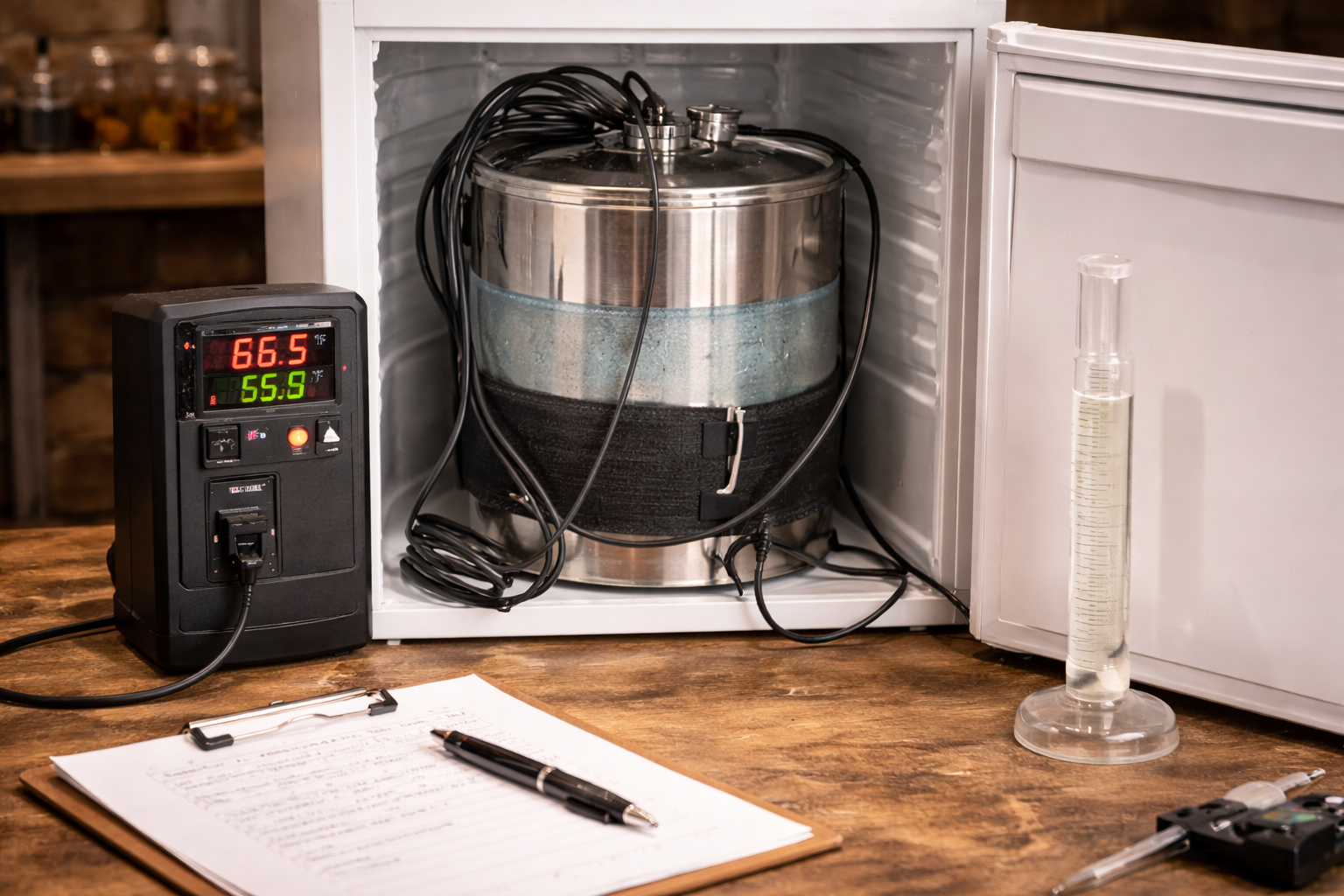
The last step is not buying. It is proving the setup behaves the way you think it does.
Step 1. Choose the yeast target and get a real number
Start with the yeast, not the style name. Pick the fermentation target from the strain guidance, then write it down before you start fiddling with controller settings.
Step 2. Place the probe where the beer can speak for itself
Use a thermowell if you have one. If not, tape the probe to the fermenter wall and insulate over it. Do not skip this and then blame the controller later. That always feels a bit unfair.
Step 3. Set the differential with some restraint
Do not start with the tightest possible swing just because it looks “precise.” A slightly wider differential with calmer cycling is often the saner starting point.
Step 4. Turn on compressor delay if cooling uses a fridge or freezer
This is part of good chamber manners. Let the cooling side rest between cycles.
Step 5. Run a dry test before a live batch
Use a water-filled fermenter or another similar thermal mass and watch what the chamber does over a day. That is when you catch bad probe placement, overactive cycling, or a heat source that is stronger than it needs to be.
Step 6. Watch the first batch like a hawk, then stop fussing
You only need one close watch to learn how the chamber really behaves. After that, the whole point is to relax a little and let the setup do its job.
| Check | What you want to see | What to fix if not |
|---|---|---|
| Probe reading | Stable and believable | Move probe off chamber air and onto the fermenter |
| Cooling cycle pattern | Not rapid-fire | Increase delay or widen differential a bit |
| Heating response | Gentle rise, not overshoot | Reduce heater intensity or adjust placement |
| Batch-to-batch repeatability | Similar behavior each time | Simplify the chamber and remove variables |
If you want the short final call, here it is. For most brewers, the best temp controller for brewing is still a dual-stage plug-and-play unit with compressor delay, sane differential control, and a probe setup that reflects beer temperature. Get that right and a lot of fermentation problems get much quieter.
FAQ
Do I really need a dual-stage controller for homebrewing?
No. But if the chamber will ever both cool and heat, dual-stage is the cleaner buy. It saves you from manual swapping and weird seasonal workarounds.
Is WiFi worth paying for on a brewing temp controller?
Yes if the chamber sits somewhere inconvenient or you want alerts. No if the chamber is nearby and you already check it often. It is a convenience feature, not a flavor feature.
Can one controller handle ale fermentation, lager fermentation, and cold crashing?
Yes, as long as the controller has the right control style and the chamber hardware can do the job. The same controller can handle all three. The chamber, the probe placement, and the yeast target decide whether it does them well.